
You’ve probably heard the term Configure to Order countless times while researching ways to improve your business operations, but never quite knew exactly what it meant. This concise guide breaks down Configure to Order (CTO) in plain language and explains how it works in real manufacturing and distribution environments.
What Is Configure to Order?
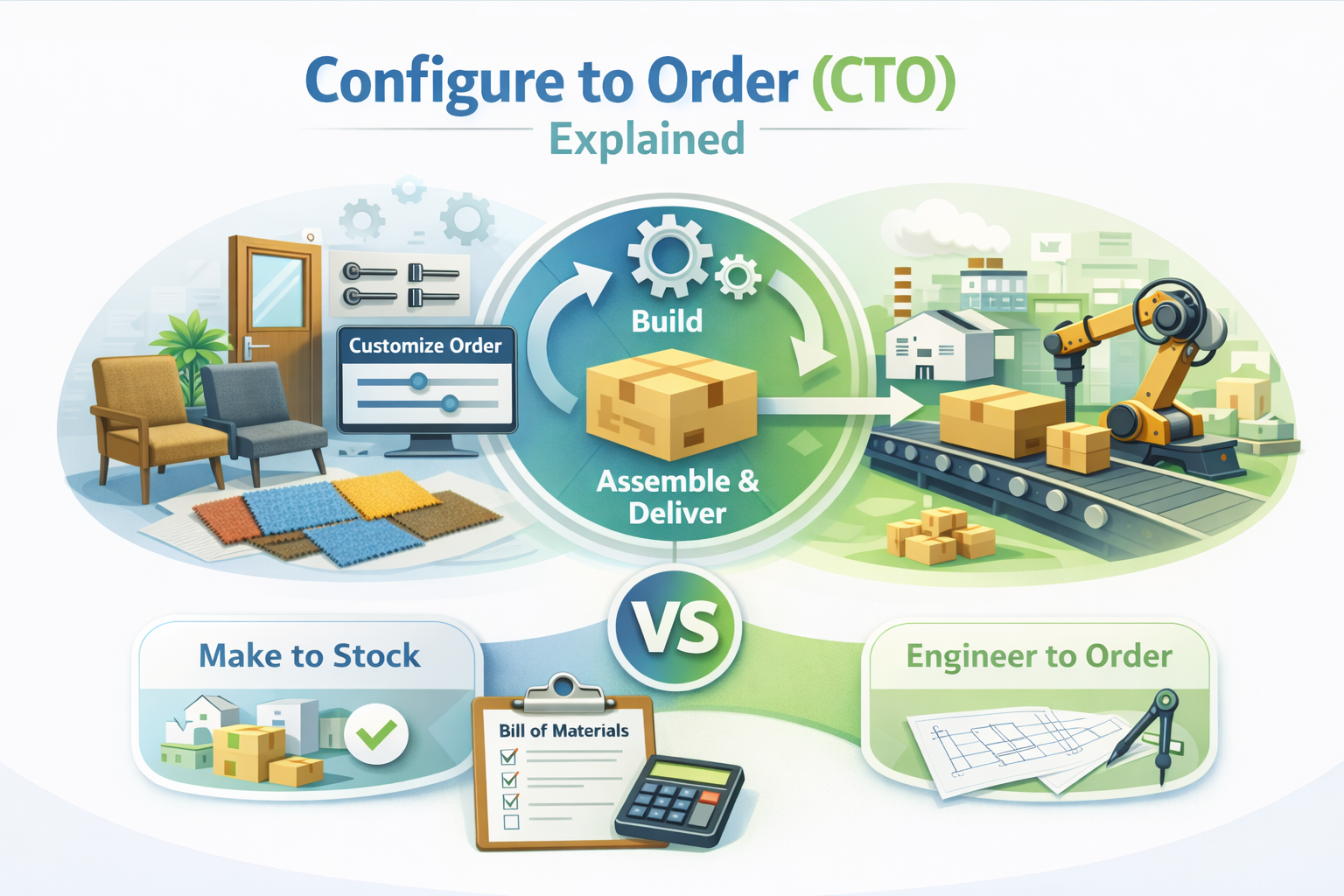
Configure to Order (CTO) is a sales and fulfillment model in which each order is customized based on customer selections.
Instead of stocking every possible product variation in advance, CTO allows customers to choose options such as size, material, color, features, or components. Once the order is placed, the system defines the exact product configuration and automatically triggers the next steps—whether that’s production, assembly, or purchasing required components.
Think of it this way: you’re not selling a single fixed product. You’re selling a flexible product framework that adapts to the customer’s choices. CTO is best thought of as a connected, repeatable process rather than a one-off custom order.
This approach is common in manufacturing, distribution, building materials, and other industries where products have many variations and custom specifications. In these environments, customized products are the norm rather than the exception.
Configure to Order vs. Make to Stock
Make to Stock (MTS) is the traditional approach most businesses are familiar with.
With MTS, you forecast demand, build products in advance, and hold inventory until customers place orders. This model works well when:
- Products are standardized
- Demand is predictable
- Variations are minimal
Configure to Order works differently.
You don’t build everything ahead of time. Instead, you wait for the order and then create the product based on the customer’s exact requirements.
CTO works best when:
- Products have many variations
- Customization matters to customers
- Demand is harder to forecast
CTO may not be ideal if:
- You sell a small number of fixed SKUs
- Customization is rare
- Speed matters more than flexibility
In short:
- Make to Stock is about speed and volume
- Configure to Order is about flexibility and accuracy
To clarify further, Configure to Order sits between Make to Stock and Engineer to Order. You are configuring products from predefined rules and components—not designing a brand-new product from scratch every time.
How Configure to Order Works in Real Operations
In day-to-day operations, CTO usually begins with a customer selecting product options such as:
- Dimensions
- Materials
- Add-ons
- Finishes
- Performance features
Once these selections are made, the Configure to Order process automatically triggers several key activities behind the scenes.
A unique bill of materials is generated and stored separately from standard bills of materials. Pricing adjusts based on the configuration, inventory availability is checked, and production or purchasing planning reports are triggered.
Instead of manually calculating parts, costs, and timelines for every order, the system handles these steps for you.
This is what makes CTO so powerful. It transforms what was once a messy, error-prone custom process into something structured, repeatable, and accurate. For many businesses, CTO significantly reduces reliance on spreadsheets—which often contain errors and become unreliable as product complexity grows.
CTO can slightly increase lead times compared to Make to Stock, but this is often offset by fewer errors, less rework, and much faster quoting.
Without CTO, custom pricing is frequently handled manually, increasing the risk of under-quoting and inconsistent margins.
When Should a Business Use Configure to Order?
A business should strongly consider CTO when customization starts creating operational headaches.
CTO is a strong fit if:
- You offer a wide range of product variations
- Your sales team is constantly building custom quotes
- Inventory levels are difficult to predict
- Orders require specific components or configurations
- Mistakes occur during manual order entry
If every order feels slightly different and spreadsheets are doing most of the heavy lifting, that’s usually a clear sign that CTO would help.
On the other hand, if you sell a small number of standardized products that rarely change, Make to Stock may still be the simpler and more cost-effective option.
Real-World Configure to Order Examples
Configure to Order appears in more industries than many people realize.
Common examples include:
- A door manufacturer allowing customers to select dimensions, materials, locks, and hardware
- An industrial equipment manufacturer offering choices for motor size, voltage, frame type, and control systems
- A building materials supplier providing custom door sizes, finishes, glass types, and hardware packages
- A furniture manufacturer allowing selections for dimensions, fabric, cushions, and leg styles
- A machinery distributor building systems based on capacity, attachments, and performance requirements
In all of these cases, the core product remains the same, but the final configuration varies by order.
Benefits of Configure to Order for Growing Businesses
One of the biggest benefits of CTO is control.
Instead of guessing what customers might buy, you build exactly what is ordered.
Key advantages include:
- Lower inventory levels by avoiding stocked variations
- Fewer errors through rule-based configurations
- Faster quoting and order processing
- Better visibility into true product costs
- Higher customer satisfaction from tailored products
As a business grows and product complexity increases, CTO helps keep operations organized instead of chaotic.
Why Configure to Order Works Best When Built Into Your ERP
Configure to Order on its own is helpful.
Configure to Order inside an ERP system is where it truly shines.
Some ERP systems treat CTO as an add-on. Others, like Aquilon, integrate CTO directly into sales orders so configuration, costing, and fulfillment remain tightly connected.
When CTO is integrated with inventory, purchasing, production, and accounting:
- Configured products pull the correct components automatically
- Inventory updates in real time
- Purchase orders are triggered when required
- Costs roll up accurately
- Orders flow smoothly from sales to fulfillment
Without this integration, businesses often juggle spreadsheets, manual adjustments, and duplicate data entry.
An ERP keeps the entire CTO process connected from quote to delivery.
Common CTO Challenges (and How Software Solves Them)
While CTO is powerful, it can become difficult to manage without the right systems.
Common challenges include:
- Pricing mistakes on custom configurations
- Missing components during production
- Long quote turnaround times
- Inventory shortages
- Manual rework on every order
These issues typically arise when configurations are managed manually or across disconnected tools.
Modern ERP software addresses these challenges using configuration rules, automated workflows, and real-time data—making the entire process structured, accurate, and repeatable.
Conclusion: Is Configure to Order Right for You?
If your products come in many variations and every order feels slightly different, Configure to Order can make a significant difference. It helps reduce errors, improve visibility, and ensure you build exactly what your customers want—without unnecessary complexity.
Want to explore how Configure to Order could work for your business?
Reach out to us at Aquilon, and we’ll walk you through how to implement CTO smoothly using our ERP.

Ready to see Aquilon in action?
Find out if Aquilon is the right fit for your business.