
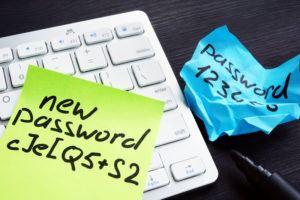
 Strong passwords are an important part of business password security. Your ERP, email, online banking, ecommerce, and other business accounts can contain valuable or sensitive information. Therefore, protecting every login should be part of your company’s overall security practices.
One compromised account can expose business data or interrupt daily operations. Fortunately, a few simple password habits can help reduce unnecessary security risks.
Use a Different Password for Every Business Account
Reusing passwords across multiple services can create additional risk. If someone obtains one password, they may try the same credentials on other accounts.
Therefore, use a different password for every business account. In addition, avoid sharing a single login among several employees whenever possible. Instead, give each person an individual account when the service allows it.
Individual accounts also make it easier to control access. For example, when an employee changes roles or leaves the company, an administrator can update or remove that person’s access without affecting other users.
Create Long, Unique Passwords
When creating passwords, focus on length and uniqueness rather than predictable variations of familiar words or phrases.
A password manager can make this process easier. It can generate and securely store long, unique passwords for different accounts. As a result, employees do not have to remember a separate complex password for every service they use.
However, the password manager itself also needs protection. Use a strong master passphrase and enable additional authentication when available.
Enable Multifactor Authentication
Strong passwords provide an important layer of protection. However, multifactor authentication (MFA) can add another layer.
With MFA enabled, signing in requires an additional verification step beyond the password. Therefore, someone who obtains a password may still need another form of verification before gaining access.
Whenever possible, enable MFA for important business accounts. In particular, prioritize email, administrator, financial, ecommerce, and other accounts that contain sensitive information.
Be Careful With Password Strength Checkers
Online password-strength checkers may seem convenient. However, you should never enter an actual working password into an unfamiliar website simply to test its strength.
Instead, use the security recommendations provided by your trusted password manager or your organization’s approved security tools. This allows you to evaluate password practices without unnecessarily exposing a working credential.
Similarly, avoid sending passwords through email or storing them in shared documents.
Change Compromised Passwords Quickly
If a password becomes exposed, change it promptly. Likewise, take action if you suspect someone has accessed an account without permission.
After changing the affected password, review other accounts where you may have used the same or a similar credential. If you find reused passwords, replace them with unique ones.
In addition, review recent account activity and security settings when those options are available.
Protect ERP Accounts and Business Data
Business password security is particularly important for ERP systems because they may contain financial information, customer records, inventory data, sales information, and other important business records.
Give each ERP user an individual account whenever possible. Then, limit access according to the information and system functions each employee needs to perform their job.
For example, not every employee needs access to financial data, customer information, or system administration. Therefore, administrators should review user permissions whenever responsibilities change.
Strengthen Security With Aquilon ERP
Aquilon includes operator and role-based security controls that can help businesses manage ERP access. Your system administrator or Aquilon support can explain which security controls are available for your particular deployment.
Ultimately, effective business password security combines several good practices. Use unique credentials, keep passwords private, review account permissions, and enable an additional verification factor wherever the service supports it.
By making these practices part of everyday business operations, your company can better protect its ERP system and other important business accounts.
